1
The keyboard follows where you write
A visual guide places itself next to your text field, follows the app you are in, and shows the right finger the moment you need it.
Tactomo shows you which finger to use as you type in your messages, emails and documents. A live keyboard with animated hands, floating on your Mac.
Your language. Your keyboard.
From Norwegian to Thai to Arabic, Tactomo follows the keyboard layout you use on your Mac. ANSI, ISO or JIS, with native Hangul, Kana and Zhuyin key labels too.
Eyes up
Most people learn by glancing down at their hands. Tactomo turns that around: the right finger for every key is shown right where you are writing, so your eyes stay on the words while your fingers learn the way.
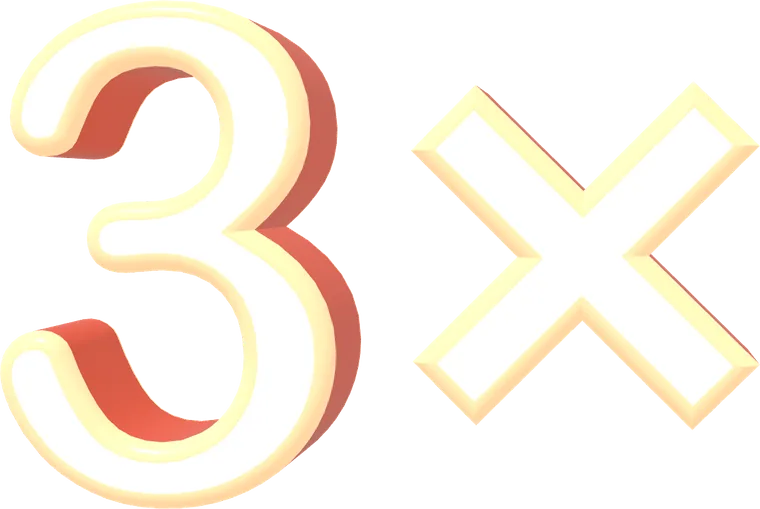
Do you know how much time you save by not correcting all the time? Every typo and backspace costs you time. Learn the right finger for each key and spend less time correcting mistakes.
While you relearn, you will type a little slower. Give your fingers time to learn the new movements. Progress depends on your starting point and how regularly you practice.
Illustration. How fast you get depends on how much you practice.
Everything it does
Every capability has its own deep-dive page. Pick what you care about.
Animated hands, color-coded finger zones, guided onboarding and a clear path from A-S-D-F to flow.
Ladder, adaptive drills, arcade, Sushi Belt Express and timed tests. One XP system.
Hold a modifier and see your app’s real shortcuts on the keys.
3D metal, Liquid Glass, RGB and Cute Pink, dark and light, or fully custom.
ANSI, ISO, JIS. Native Hangul, Kana and Zhuyin key labels.
Finger by finger
This is the keyboard the app draws on your Mac, with its real hands. Each key lights up in the colour of the finger that owns it, and the hand shows you the way.
Overlay behavior
Clicks go straight through to your work. Opacity 30-100%, scale 50-200%.
Tracks the focused text field and remembers a position per app. Works across Spaces and monitors.
Toggle with ⌃⌥⌘K from anywhere. Edit mode with ⌘⇧E to drag it exactly where you want.
Snooze for 1-60 minutes or until tomorrow. Exclude games, video players, password fields.
Keep it hidden and let it appear only while you hold ⌘, ⌥ or ⌃.
A performance profile balances render quality and CPU. Idle animations stay out of your fans.
Typing and statistics stay local. Only license verification and update checks use the network. No tracking. Privacy policy →
Input Monitoring to see which keys you press, Accessibility to find the field you type in. The onboarding walks you through both.
Swift and SwiftUI. No Electron, no background services.
Who it’s for
FAQ
Tactomo is a macOS app that floats a live, beautifully rendered keyboard on your screen while you type. It highlights the exact key you press and the finger you should use, so you learn ten-finger touch typing inside the apps you already use, like email, chat, code and documents, instead of in a separate typing website.
Typing websites train you inside their own page. Tactomo trains you everywhere: it is a transparent, click-through overlay that follows the app you are in, shows animated hands with the correct finger in real time, and measures your speed as you do real work. It also includes a full practice suite (games, drills, tests) when you want focused sessions.
Yes. The overlay is a frameless always-on-top window that works across Spaces and full-screen apps. You can exclude specific apps, snooze it, move and scale it freely, and it never steals your clicks. The window is fully click-through.
The app detects your physical keyboard form automatically: ANSI (US), ISO (European) with the L-shaped Enter, and JIS (Japanese) with ¥, ろ and 英数/かな keys. Finger zones are mapped for Norwegian and US English logical layouts, and native key labels are rendered for Korean Hangul (두벌식), Japanese Kana and Taiwanese Zhuyin (注音) input sources.
Tactomo is a paid app for macOS 13 (Ventura) or newer. Try it free for 7 days, then it is 249 NOK, $26.99 or €23.99 once, including applicable taxes, with no subscription. There is no account and no tracking. If it is not for you, email within 14 days and you get a refund.
Input Monitoring lets the app see which physical keys you press so it can light up the right key and finger. Accessibility lets it find the text field you are typing in so the overlay and speed counter can follow your work. Everything is processed locally on your Mac. No keystrokes ever leave your machine.
Yes. With app-aware shortcut profiles (Affinity, with Photoshop, DaVinci Resolve, Premiere Pro and Notion profiles in progress), holding a modifier shows that app's real shortcuts on the keys, a corner "shortcut pocket" card, mouse-gesture hints like ⌥-drag to duplicate, and a tool focus bar for tool-specific hints.
A floating speedometer window shows live WPM or CPM with your session best, and the practice suite records XP, levels, streaks, badges, per-key accuracy, weak-key heatmaps and progress toward your target speed with an estimated time to reach it.
The interface is localized into 23 languages: English, Norwegian Bokmål, Swedish, Danish, Finnish, German, Dutch, French, Spanish, Italian, Brazilian Portuguese, Polish, Czech, Russian, Ukrainian, Turkish, Japanese, Korean, Simplified Chinese, Traditional Chinese, Hindi, Indonesian and Vietnamese.
Yes. Key events are used only to render the overlay and compute your statistics, and they never leave your Mac. The only things the app sends are your license key, to confirm your purchase, and a daily request for updates. No analytics, no crash reports, no telemetry. The privacy policy lists everything.
The app checks for a new version about once a day and offers to install it in place, with release notes. You can also check any time from the menu bar. All updates to version 1 are included in the price.
Your license works on up to 2 Macs at the same time. Before you sell or wipe a Mac, choose "Release this Mac" in the license window, or remove it in the purchase portal, and the key is free for the next one. Lost the key? The purchase portal emails it to you.
Type faster. Make fewer mistakes.
7 days free. No automatic charges. No subscription.
Coming soon for Mac. Your free trial starts when you first use the app.
End up loving Tactomo? Then it’s only
249 kr once. Tax included.
SEK 259DKK 179€23.99£19.99$26.99
Downloads and purchases are not open yet. Explore the features above or get in touch with a question.