CCopyVPasteDDuplicateGGroup⌘ held
Hotkey hints on the keys
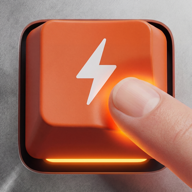
Hold ⌘, ⌥ or ⌃ and every key that does something in the current app lights up with its action: Copy on C, Duplicate on D. Release, and they vanish.
Shortcuts
Hold ⌘, ⌥ or ⌃ and the overlay becomes a live cheat-sheet for the app in front: real shortcuts on real keys, mouse-gesture hints and tool-aware tips.
Shortcut coach
Hold a modifier and the overlay becomes a live cheat-sheet for the app you are in, with real shortcuts on real keys, mouse-gesture hints, and tool-aware tips for creative software.
Hold ⌘, ⌥ or ⌃ and every key that does something in the current app lights up with its action: Copy on C, Duplicate on D. Release, and they vanish.
A slim strip shows what modifiers do with your mouse right now: ⌥-drag duplicates, ⇧ constrains, ⌘-scroll zooms. While dragging, it switches to live “what can I add?” hints.
For tool-based apps: pick Move, Brush, Pen or Node, or let the app infer it from your shortcuts, and the hints adapt to that tool. Brush ⌥-click means “sample colour”, not “duplicate”.
A mini card tucks into the corner of the app window, tinted in the app’s brand color. Hover, and it expands to the full shortcut keyboard.
App profiles: Affinity Designer / Photo / Publisher (complete) · Photoshop · DaVinci Resolve · Premiere Pro · Notion (in progress), each with brand-colored keyboard skins and the app icon on the spacebar.
Overlay behavior
Pixel-accurate hit-testing: clicks go straight through the overlay to your work. Opacity 30–100 %, scale 50–200 %.
Tracks the focused text field and the frontmost app; remembers a position per app. Works across Spaces, full-screen apps and multiple monitors.
Toggle with ⌃⌥⌘K from anywhere (position-based, layout-independent). Edit mode with ⌘⇧E to drag the overlay exactly where you want it.
Snooze for 1–60 minutes or until tomorrow. Exclude apps entirely: games, video players, password fields.
Keep the overlay hidden and let it pop up only while you hold ⌘/⌥/⌃, a shortcut cheat-sheet on demand.
A performance profile balances render quality and CPU; idle animations are engineered to stay out of your fans.
Keep exploring
Animated hands, color-coded finger zones, guided onboarding and a clear path from A-S-D-F to flow.
Ladder, adaptive drills, arcade, Sushi Belt Express and timed tests, one shared XP system.
3D metal, Liquid Glass, RGB and Cute Pink, dark & light, or fully custom colors.
ANSI · ISO · JIS, 250+ keyboard layouts, native Hangul/Kana/Zhuyin key labels.
7 days free. No automatic charges. No subscription.
Coming soon for Mac. Your free trial starts when you first use the app.
End up loving Tactomo? Then it’s only
249 kr once. Tax included.
SEK 259DKK 179€23.99£19.99$26.99
Downloads and purchases are not open yet. Explore the features above or get in touch with a question.
